
Organisation settings
Everything on this page lives in the organisation half of Settings — General, Monitoring and Tags — and applies to the whole organisation: every member sees the same values.
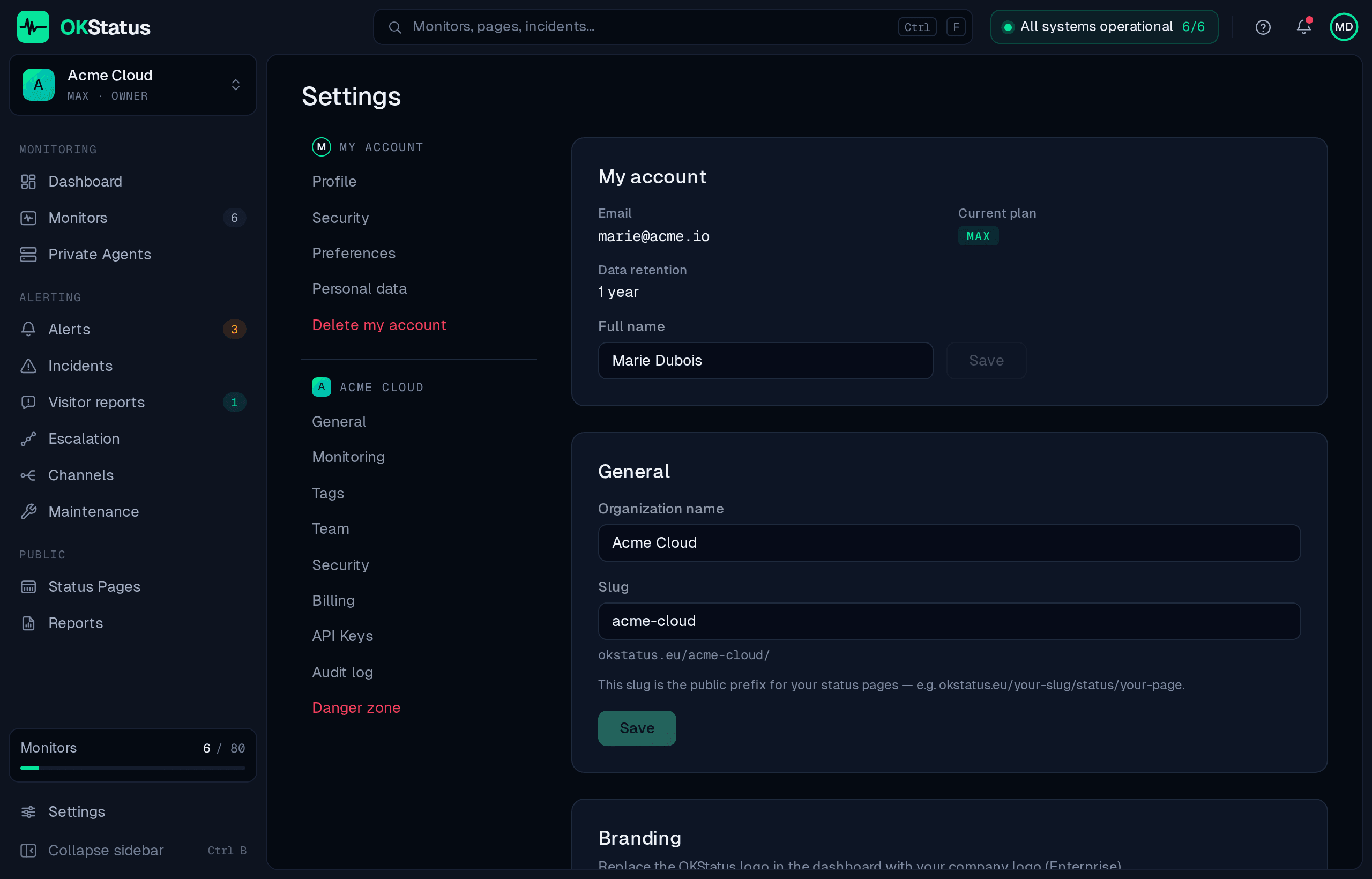
Organisation name
Section titled “Organisation name”Settings → General. The name shown in the dashboard, in alert messages and on PDF reports. Changing it is immediate and affects nothing else.
The slug identifies your organisation in URLs — most visibly in your public status pages:
https://okstatus.eu/<slug>/status/<page-slug>It is chosen at sign-up and used by every status page you publish. Some names are reserved (they would collide with the product’s own routes) and are refused with an explanation.
Changing a slug changes every public status-page URL that uses it. Anything already linking to the old address — a customer’s bookmark, a README badge, a link in an e-mail you already sent — stops working. Treat it as a one-way decision, or update the links you control at the same time.
SLA target
Section titled “SLA target”Settings → Monitoring. The availability your organisation commits to, in percent — any value between 90 and 100; 99.5, 99.9 and 99.95 are the common ones. It is used in two places:
- the Availability panel on the dashboard compares measured uptime against it;
- the report builder takes it as its default target.
It is a display and reporting value: setting it to 99.99 does not change what is measured, only what the measurement is compared to. See SLA and status for how availability itself is computed.
Branding
Section titled “Branding”Settings → General. Enterprise plans can replace the OKStatus logo in the dashboard with their own. Status pages have their own, separate branding options — logo, favicon and accent colour — documented in Status pages.
Settings → Tags lists every tag in use with the number of monitors that carry it, and lets you rename a tag, merge it into another, or remove it everywhere at once. One policy applies to new tags: normalize to lowercase without accents (“Prod” becomes “prod”), so the same tag is not created twice under two spellings. Existing tags are not changed.
Data retention
Section titled “Data retention”How long individual check results are kept. It follows the plan and is not configurable:
| Plan | Check results kept |
|---|---|
| Free | 90 days |
| Pro | 180 days |
| Max | 365 days |
| Enterprise | 730 days |
What expires is the raw check history. Monitors, incidents, status pages and the reports you generated are not affected — and a PDF report you downloaded keeps its numbers forever, which is the usual way to hold on to a period beyond your retention window. Uptime percentages for a range older than the window can no longer be recomputed.
Data is deleted, not archived: this is data minimisation under the GDPR, not a storage tier.
Where the rest lives
Section titled “Where the rest lives”- Members, roles and invitations — Team & roles
- Two-factor authentication for every member — Account security
- Who changed what — Audit log
- Plan, invoices and payment — Billing & plans
- Your own language, timezone and theme — Account preferences
- API keys — API authentication