
Billing & plans
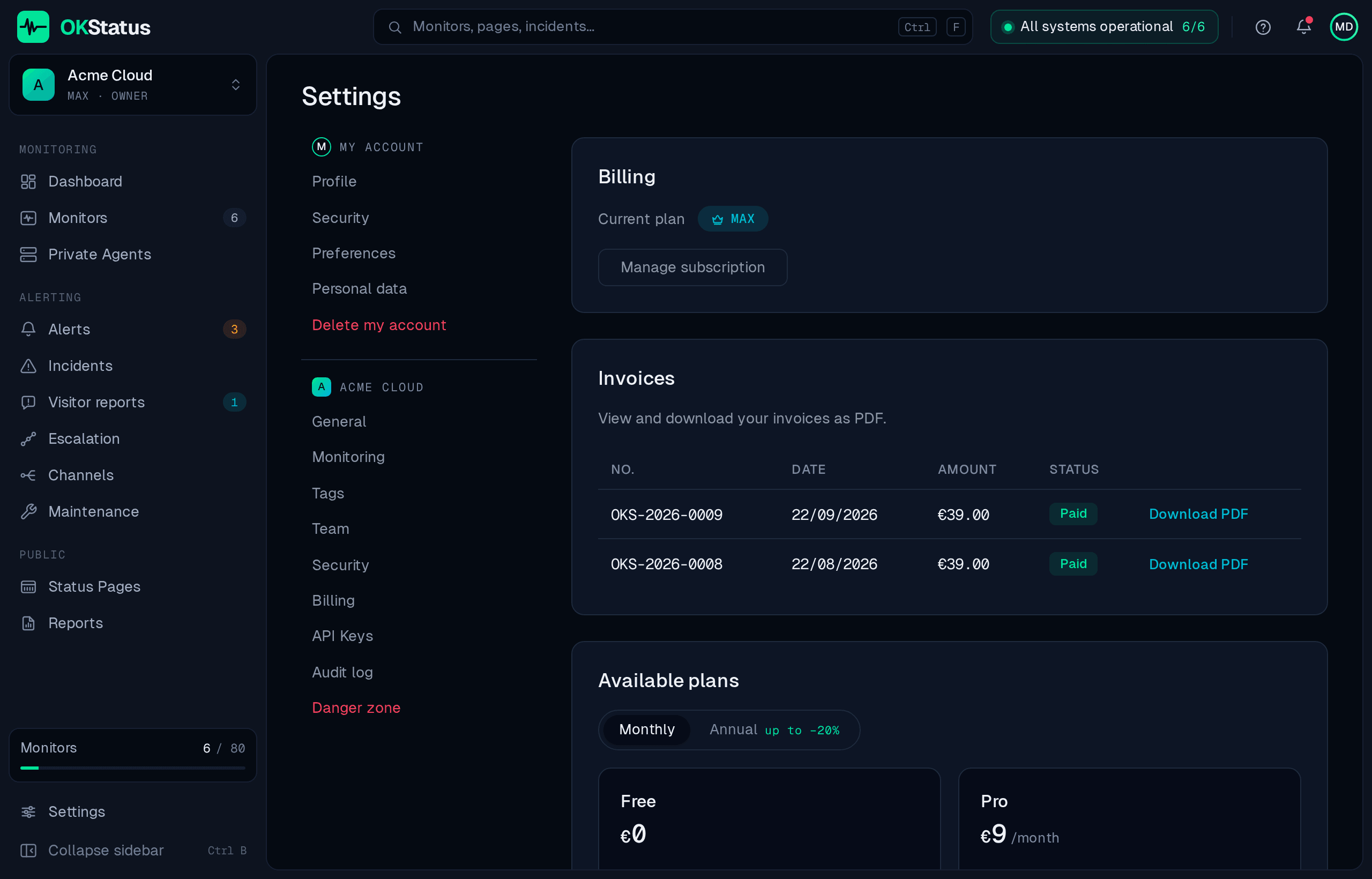
Settings → Billing shows your current plan, your invoices, and every plan you can move to. Prices and the full feature grid are on the pricing page — it is the reference, this page only describes the mechanics.
Changing plan
Section titled “Changing plan”Pro and Max are self-serve: pick one and you are sent to Stripe’s hosted checkout. Payment, card details and invoices are handled entirely by Stripe: OKStatus never sees a card number. Enterprise is set up with our sales team — Contact us on its card opens that conversation.
An upgrade takes effect as soon as the payment is confirmed — the new limits (monitors, check interval, regions, retention) apply immediately, without recreating anything.
Monthly or annual
Section titled “Monthly or annual”Both are offered on the paid plans, with a discount for annual billing (−10 % on Pro, −20 % on Max and Enterprise). The choice is made at checkout and can be changed later from the same page.
Invoices and payment method
Section titled “Invoices and payment method”Your invoices are listed on the Billing page itself, each with a Download PDF link. Manage subscription opens the Stripe customer portal, where you can:
- download every invoice, past and current;
- change the card on file;
- update the billing address and VAT number;
- cancel the subscription.
The portal is Stripe’s, not ours — it is the authoritative place for anything invoice-shaped.
Downgrading
Section titled “Downgrading”A downgrade changes your plan, and nothing else moves on its own. Concretely:
- Monitors you already have keep running as they are, even beyond the new plan’s limits, and even at an interval or across a number of regions the new plan would not allow. Nothing is deleted or paused.
- The limits apply on the next write. Creating a monitor above the count limit is refused; saving an existing monitor at an interval below the new floor, or with more regions than allowed, is refused too — so editing a monitor is what brings it into line with the plan.
- Retention follows the plan immediately. The window is read from the current plan on every retention pass, so check results older than the new window are deleted at the next one. This is the one irreversible effect: export what you need before downgrading — see Instant PDF reports.
Cancelling
Section titled “Cancelling”Cancellation is done from the Stripe portal. The subscription stays active until the end of the period already paid for, then the organisation falls back to the Free plan — it is not deleted, and neither are your monitors.
Deleting the account entirely is a different action, with different consequences: Account preferences.
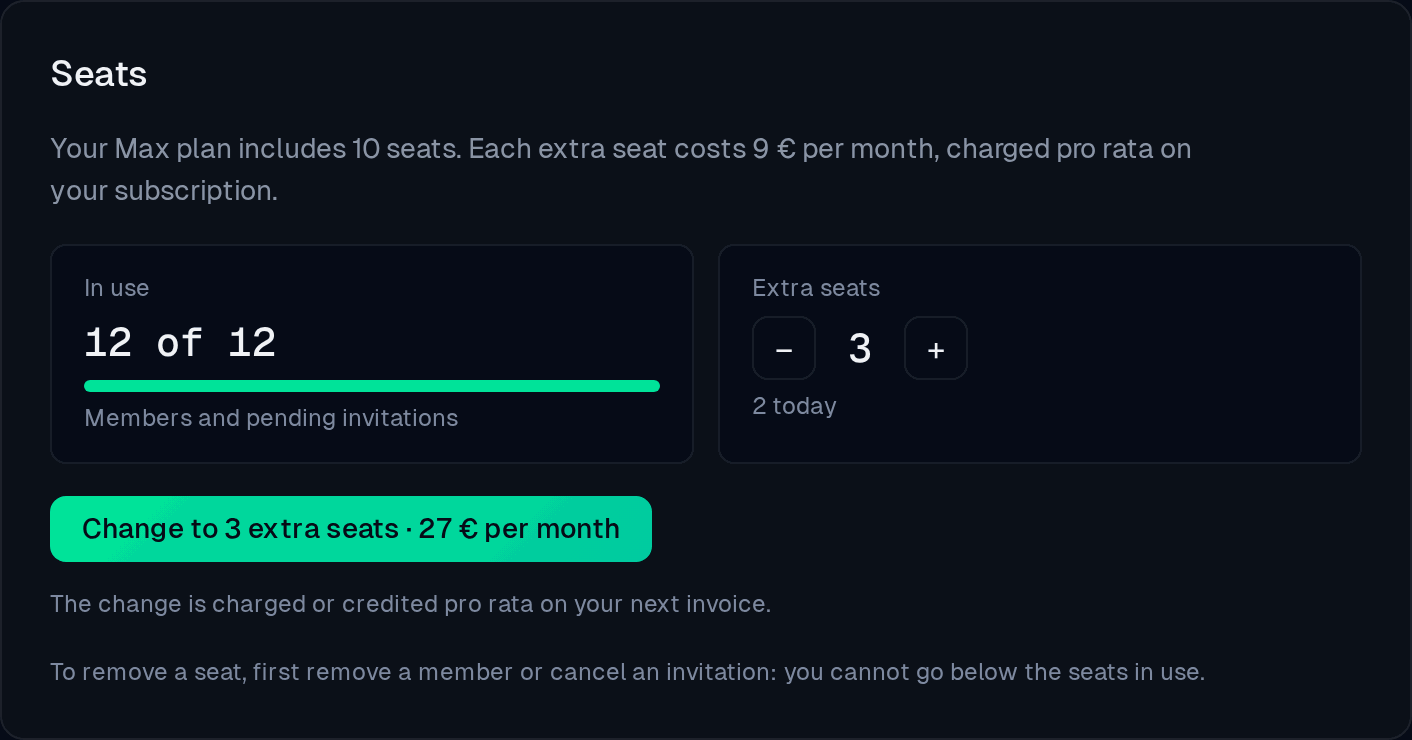
Pro includes 3 seats and Max 10 (owner included; pending invitations count). Beyond that, each extra seat costs 9 € per month, or 97.20 € per year on annual billing: the seat follows your subscription’s period. Choose the number with + and −; the amount shows before you confirm, and Stripe charges or credits the difference pro rata on your next invoice, with no new payment to enter.
You cannot go below the seats in use: remove a member or cancel an invitation first. Only the owner and admins can change seats. Moving to Free ends the extra seats with the subscription; Enterprise seats are unlimited.
SMS credits
Section titled “SMS credits”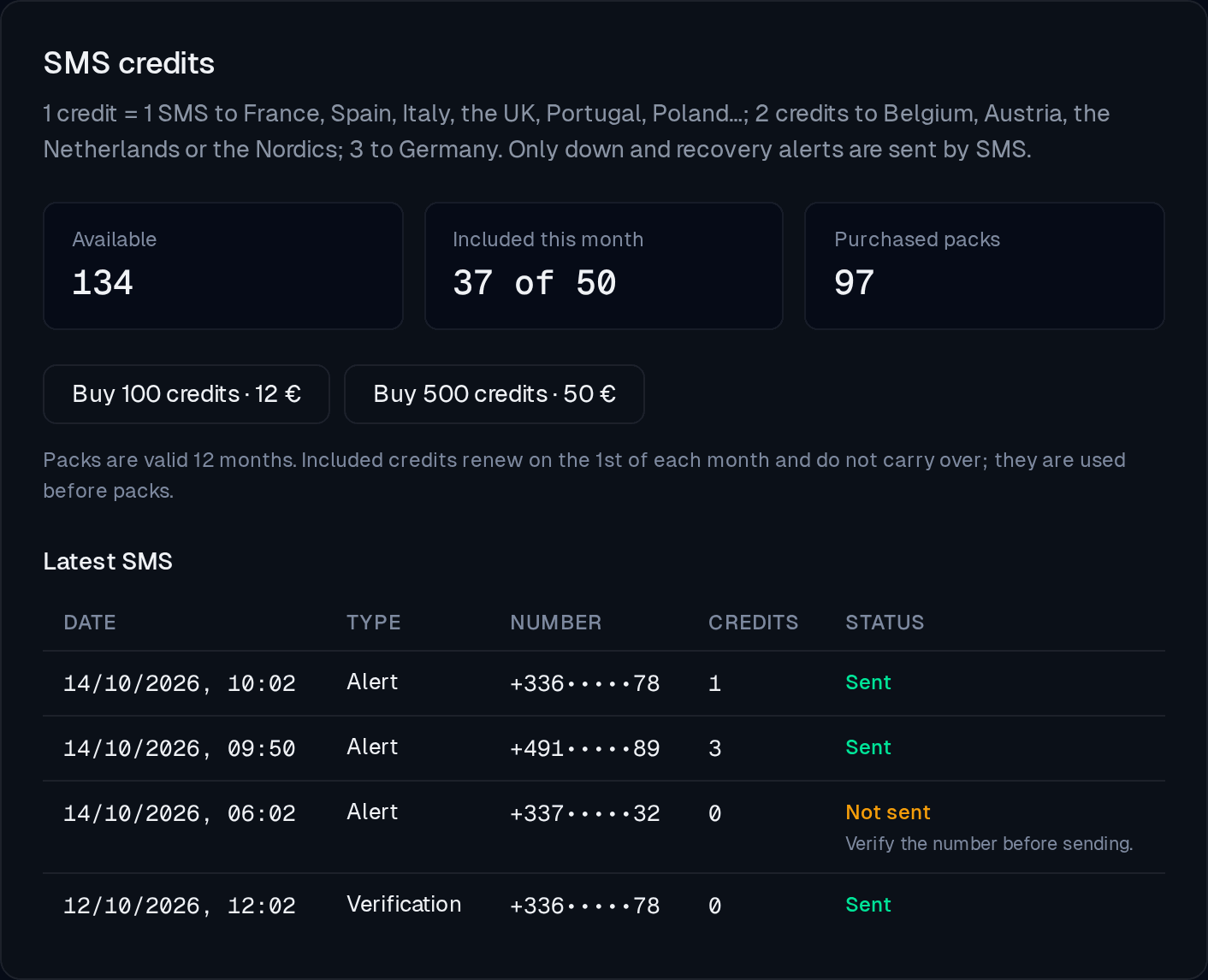
SMS alerts use prepaid credits. One credit sends one SMS to France, Spain, Italy, the UK, Portugal or Poland; two to Belgium, Austria, the Netherlands or the Nordics; three to Germany.
- Included: Max includes 50 credits per calendar month, Enterprise 200. They renew on the 1st, do not carry over, and are used before purchased credits.
- Packs: 100 credits for 12 € or 500 for 50 €, bought from Settings → Billing on Pro and above. Payment goes through Stripe and the invoice joins the others. A pack is valid 12 months.
- Refused SMS: an SMS the provider refuses is credited back. Credits are not refunded or transferred to another organisation.
The Latest SMS list shows every SMS of the organisation, sent or not, with the number masked (+336•••••78), the credits used and, for one that did not go out, why: number not verified, no credits left, limit reached.
E-mail verification
Section titled “E-mail verification”An unverified e-mail address blocks checkout: the address is what receives the invoices and the alert notifications. The banner on the billing page links to the verification e-mail if you need it sent again.
Enterprise
Section titled “Enterprise”Enterprise is not self-serve — SSO, the audit log, a contractual support SLA, payment by wire transfer and a custom monitor allowance (500 included, more on request) are agreed rather than picked from a grid. Contact us on the billing page opens that conversation.