
Incidents
An alert is what the engine detected. An incident is what you decide to tell people. They are separate on purpose: not every alert deserves a public incident, and an incident can exist for something no monitor saw.
Create an incident
Section titled “Create an incident”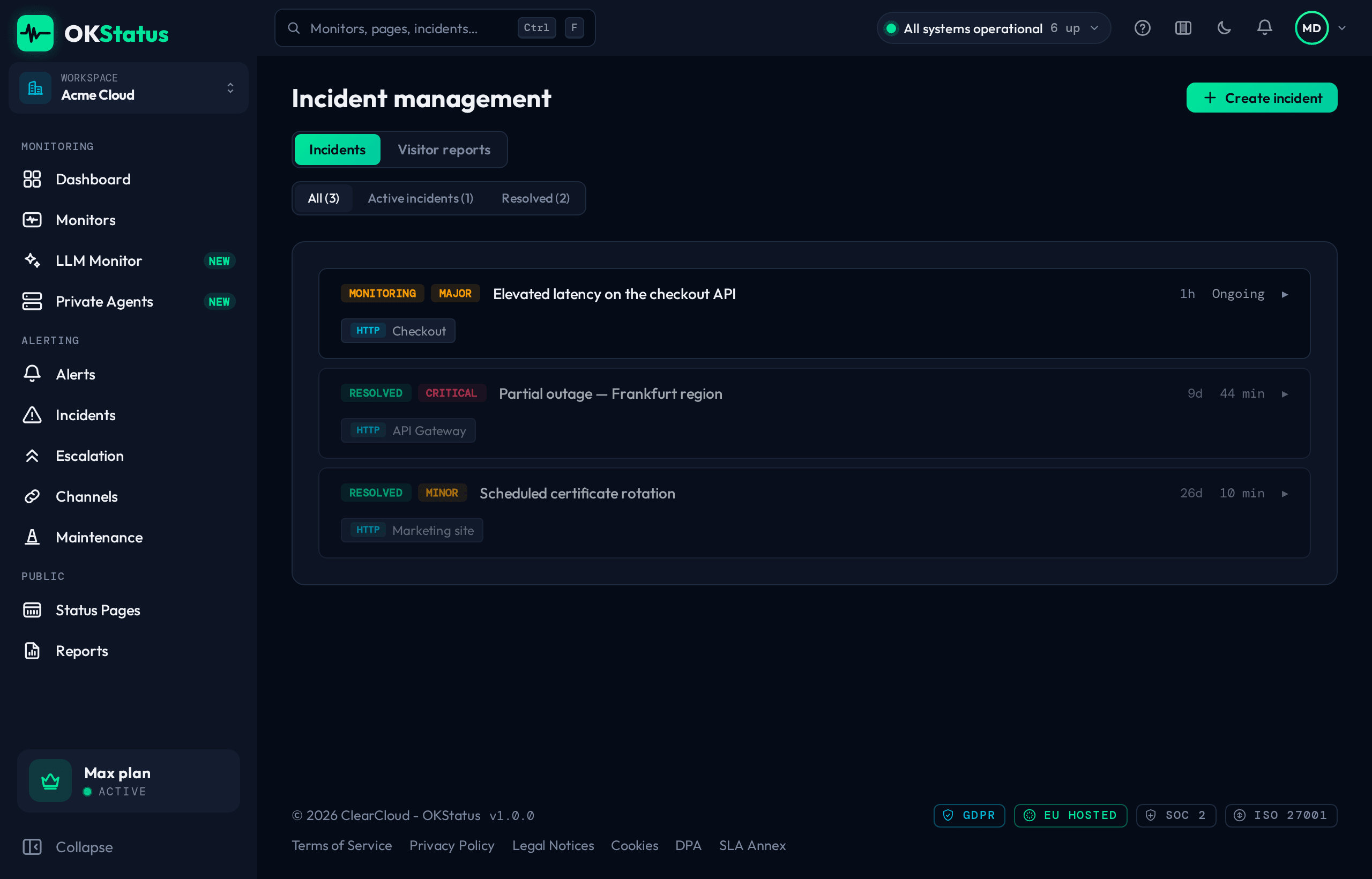
- Go to Alerting → Incidents and click Create incident.
- Enter a title — it is what your status page shows.
- Pick a severity: Minor, Major, or Critical.
- Select the affected monitor.
- Click Create.
Creating an incident automatically posts a first Investigating update, so the timeline is never empty.
You can also start from an alert: open a row in the Alerts log, click Create an incident, and the title, severity and monitor arrive pre-filled with the alert linked to the incident.
Update an incident
Section titled “Update an incident”While resolving an incident, post updates — each one is timestamped and shown on the public status page:
- Investigating — You’re looking into the issue.
- Identified — The cause has been found.
- Monitoring — A fix is being deployed or is being watched for regression.
- Resolved — The service is back to normal.
Resolve is a shortcut for a final Resolved update. Every update goes out to your status page’s email subscribers.
The Incidents page
Section titled “The Incidents page”The four tiles at the top give the state of play: incidents active now, the count this month against last month, the MTTR over 30 days (opening to resolved) and the last incident.
Below, the list holds what you declared — searchable by title or monitor, filterable by Status (all, active, resolved) and by Severity. Each row shows the severity, the affected monitor, when it opened, how long it lasted and its last update; it expands to its timeline, where you add updates, resolve, or delete it.
The problems your status page visitors flag themselves are no longer a tab of this page: they have their own, Alerting → Visitor reports (see Alerts from a status page). A report is a lead, not a confirmed outage: check the monitor, then declare an incident here if it is real.
Deleting an incident removes it and its whole timeline, on the status page too — resolve it instead if it actually happened.
Severity and what the outside world sees
Section titled “Severity and what the outside world sees”| Severity | On the status page |
|---|---|
| Minor | Degraded performance |
| Major | Degraded performance |
| Critical | Major outage — the page’s aggregate badge turns red |
For planned work, use a maintenance window instead: it suppresses alerts as well as informing visitors. For a lighter message with no timeline, a status page announcement is often enough.