
Audit log
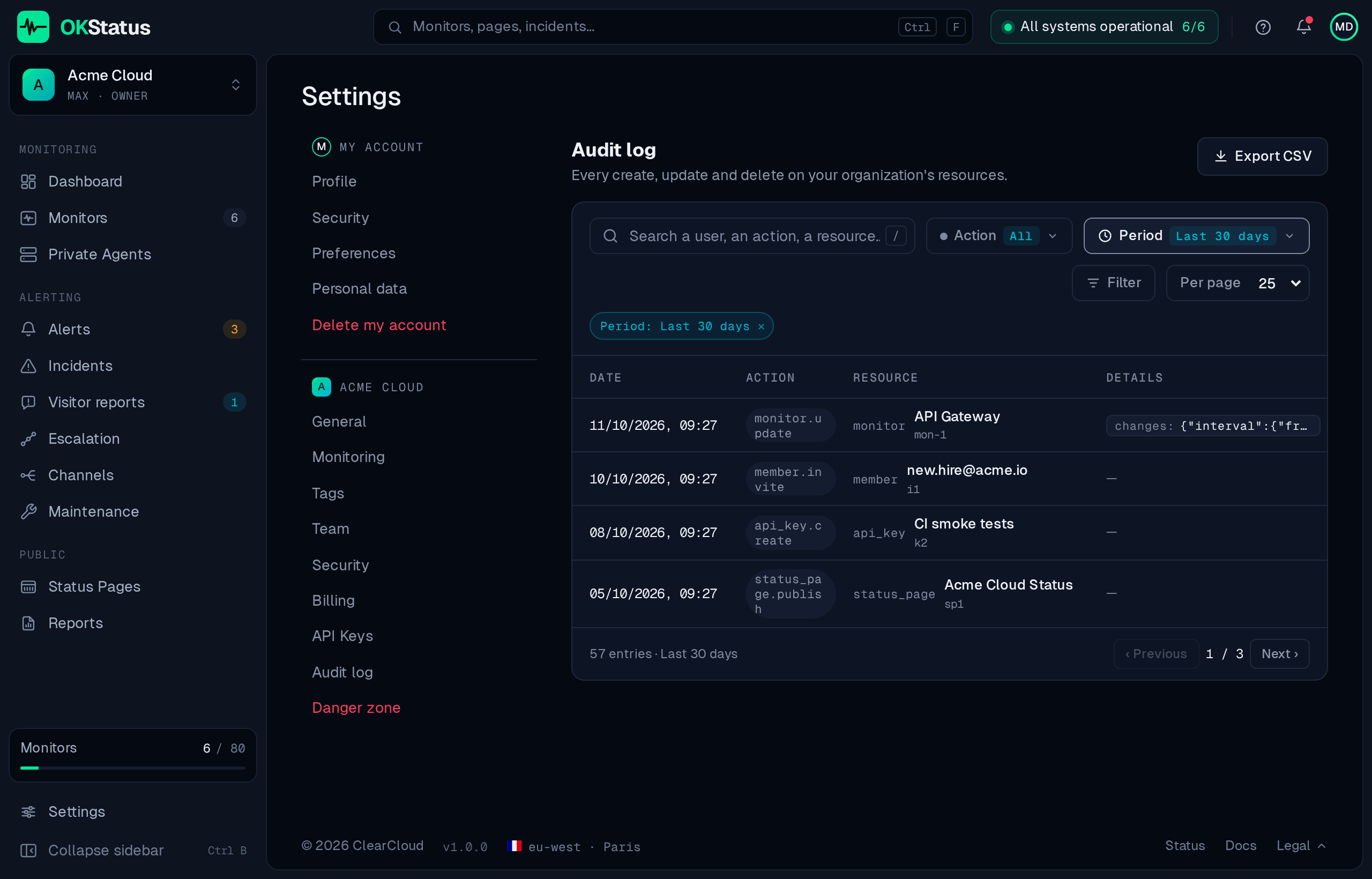
The audit log answers one question: who changed this, and when? It records every create, update and delete performed on your organization’s resources, by a person in the dashboard or by an API key.
Available on the Enterprise plan, under Settings → Audit log.
What a row holds
Section titled “What a row holds”| Column | What it is |
|---|---|
| Date | When the change happened. |
| Action | create, update, delete, invite, revoke, rotate, export. |
| Resource | The type (monitor, alert_channel, status_page, member, api_key, escalation_policy, organization) plus the resource’s current name and its full id. |
| Details | What actually changed — the fields touched, or a short summary of the payload. |
| User | The email or username of whoever did it, or API key: <name> when it came through the public API. |
| IP address | The client address the request came from. |
The list is paginated, newest first — 25, 50 or 100 rows per page — and can be searched by user, action or resource, and filtered by action.
What is recorded
Section titled “What is recorded”- Monitors — created, updated, deleted.
- Alert channels — created, updated, deleted.
- Status pages — created, updated, deleted.
- Escalation policies — created, updated, deleted.
- Team — invitations sent, roles changed, members removed.
- API keys — created, rotated, revoked.
- Organization — GDPR data export, organization deletion.
- Alerts — acknowledgements, including “acknowledge all”.
Credentials never appear: monitor passwords, channel tokens and API key values are masked before the row is written.
Windows and retention
Section titled “Windows and retention”The page shows the last 90 days by default; the Period filter switches to the last 30 days, 12 months or 24 months. Audit rows are kept for at least 12 months whatever your plan’s regular data retention is, because they are compliance evidence rather than monitoring data.
Export for an auditor
Section titled “Export for an auditor”Export CSV, at the top of the page, downloads the period and filters you
are looking at as okstatus-audit-<org>-<days>d.csv, with the columns
timestamp, actor, action, resource_type, resource_id, ip_address, metadata.
The same export is reachable by URL while signed in to the dashboard as an owner or admin, which is handy for a recurring extraction:
/api/audit?format=csv&days=365Optional action= and resourceType= parameters narrow it further.
Reliability
Section titled “Reliability”An audit write that fails is counted and logged rather than silently dropped, and for the actions that matter most for compliance — role changes, key revocation, organization deletion — the operation itself fails if its audit row cannot be written. A gap in this log is treated as a defect, not an inconvenience.