
Scheduled Reports
Overview
Section titled “Overview”Scheduled reports are the recurring counterpart to the instant report builder: instead of generating a PDF on demand, OKStatus builds it for you on a cadence you choose and emails it straight to your recipients.
Scheduled reports are available on the Max and Enterprise plans.
Create a schedule
Section titled “Create a schedule”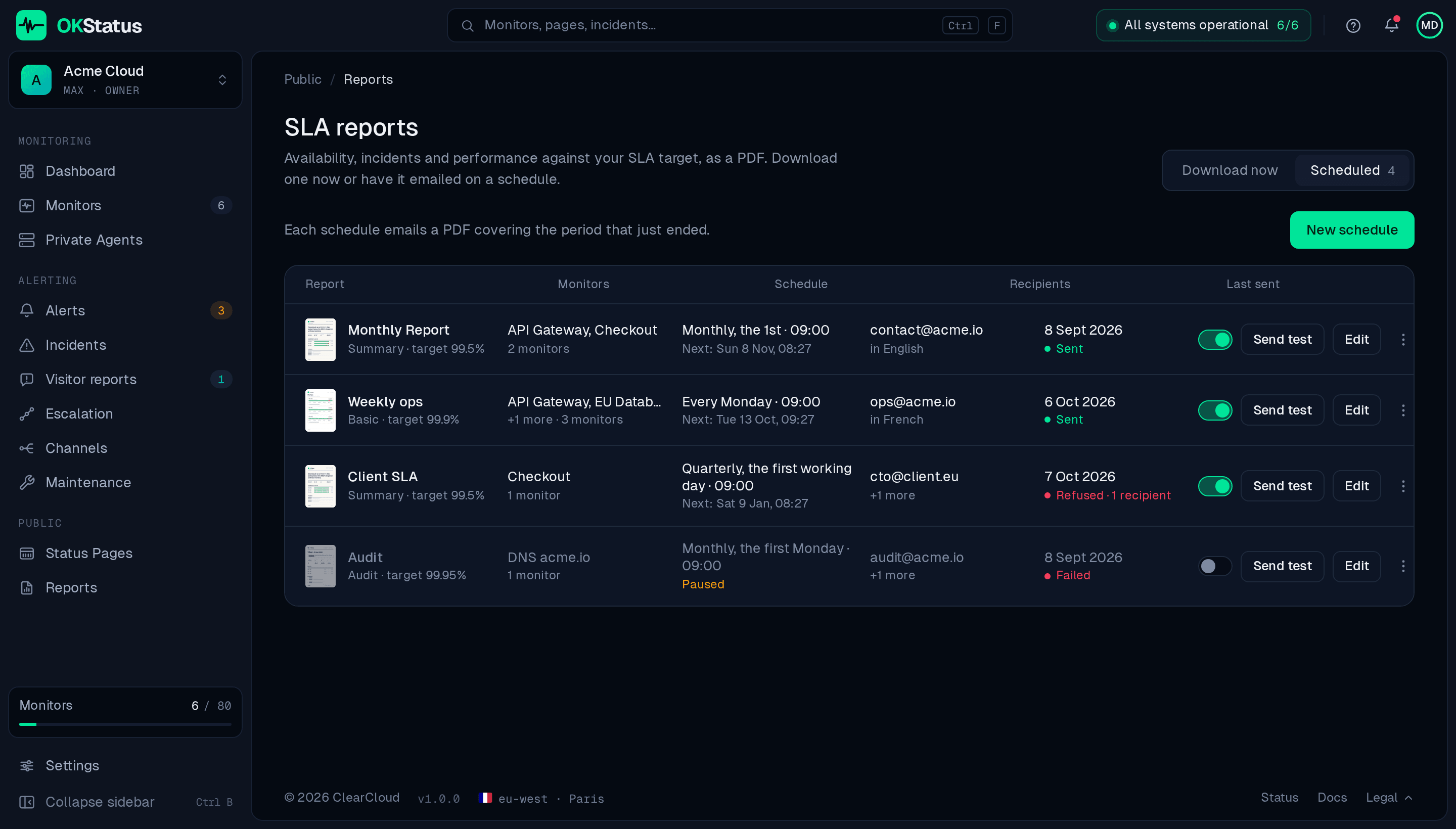
-
Go to Reports and open the Scheduled tab.
-
Click New schedule.
-
Give it a name — it’s used in the email subject and the PDF filename.
-
Select the monitors to cover — all of them, by tag, by group, or one by one.
-
Under When, choose the rhythm and the day:
- Weekly — covers the last 7 days; sent on the weekday you pick.
- Monthly — covers the previous month; sent on the 1st, the 2nd, the first working day, or the first Monday…Sunday of each month.
- Quarterly — covers the previous quarter; same choices, of each quarter.
then the hour and the time zone the hour is read in.
-
Under Content, set the SLA target, the template, the sections to include and the language of the email and the PDF (English or French).
-
Add the recipients — type an address, then Enter or a comma. Up to 20.
-
Check the preview on the right — the first send, the period it covers, what follows, and the PDF and the email as they will arrive — then Create schedule.
How sending works
Section titled “How sending works”A schedule is anchored on the calendar. A monthly report set to “the 1st, 09:00, Europe/Paris” goes out on the 1st of each month at 09:00 Paris time and covers the previous calendar month, whole; a quarterly one covers the previous quarter, a weekly one the 7 days before the send. The list shows the next send of every schedule, so there is nothing to compute.
Each email carries the PDF as an attachment. After each send, the Last sent column says what happened: Sent, Failed (the report could not be built or handed over), or Refused with the number of recipients the mail server rejected — a mistyped address, usually.
Schedules created before October 2026 with a rolling cadence, or a six-month or yearly rhythm, keep running as they were. The editor shows them as “kept as is” until you pick one of the three rhythms above.
Managing schedules
Section titled “Managing schedules”The Scheduled tab lists every schedule of your organization. On each row:
- The switch — pause a schedule without deleting it. A paused schedule sends nothing and shows Paused instead of its next send.
- Edit — change the name, monitors, rhythm, content or recipients.
- Send test — build the report now and send it to you alone, without affecting the schedule’s real sends. The same button is in the editor, as Send test to me.
- Duplicate — start a new schedule from this one.
- Download last PDF — rebuild the PDF of the last send.
- Delete — remove the schedule permanently.
Best practices
Section titled “Best practices”- Use Send test after creating or editing a schedule to see the email and the PDF before the real send.
- Keep the recipient list to the people who actually act on it — anyone can be added or removed later without recreating the schedule.
- Prefer monthly for client-facing SLA reporting and weekly for internal team visibility during a launch or incident-prone period.
- For a report that must land on a working day, use the first working day rather than the 1st.